Claude Code + Ollama: local model as your code assistant backend
Contents
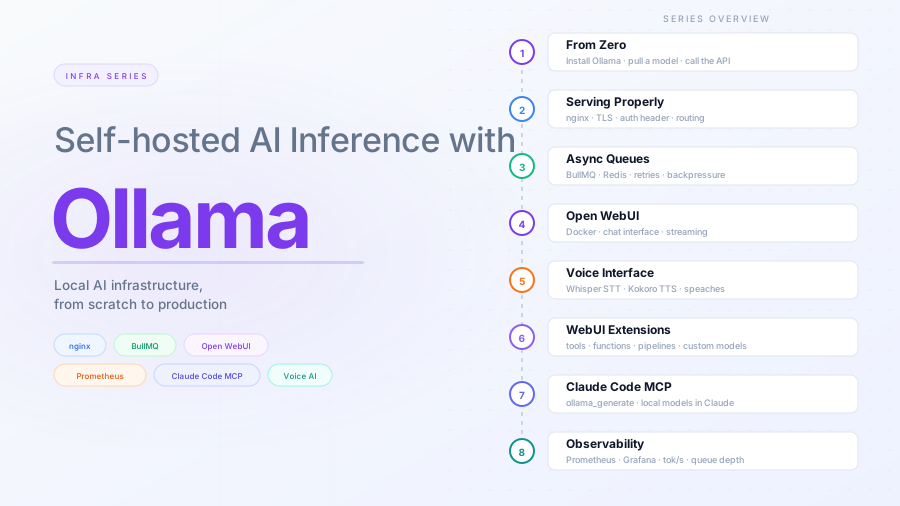
This is part 7 of the Ollama infra series. Part 6 extended Open WebUI with memory, tools, and code execution. Here we wire Ollama into Claude Code — Anthropic’s CLI — via the Model Context Protocol (MCP), so Claude Code can delegate specific tasks to a local model running on your machine.
Why use a local model from Claude Code
Claude Code connects to Anthropic’s API by default. There are tasks where routing to a local Ollama model instead makes sense:
- Privacy: code or documents you do not want to send to a third-party API
- Cost: high-volume, low-complexity tasks (summarization, classification, extraction) that do not need a frontier model
- Latency: local models on a machine with a good GPU can be faster than round-tripping to an API for short generations
This is not about replacing Claude — a local 7B model is not going to outperform Claude on complex reasoning. It is about routing the right task to the right model.
How MCP connects them
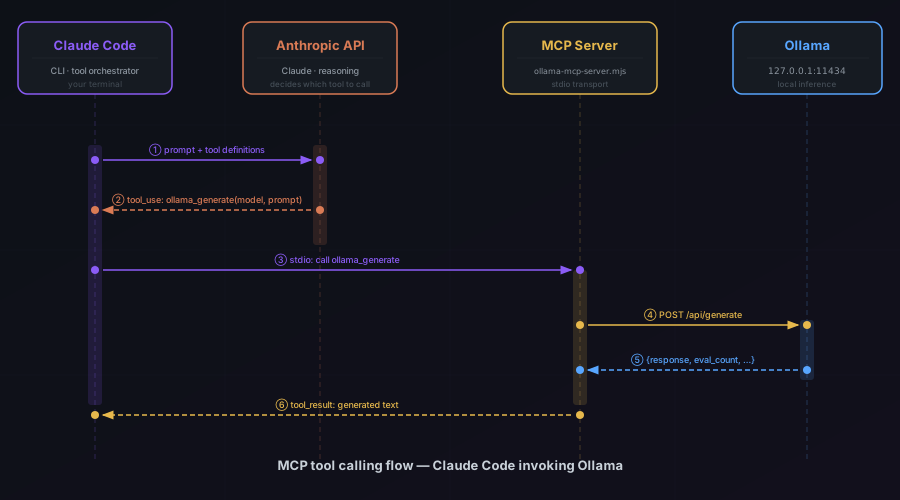
The Model Context Protocol (MCP) is a standard Claude Code uses to connect to external tools and services. An MCP server exposes a set of callable tools. Claude Code discovers those tools and can invoke them during a session.
We will write a small MCP server that exposes Ollama’s generate and chat endpoints as tools. Claude Code will be able to call them with a model name and a prompt, and get back the generated text.
The MCP server
Create a directory for the server and install dependencies:
mkdir ollama-mcp && cd ollama-mcp
npm init -y
npm install @modelcontextprotocol/sdk zod
ollama-mcp-server.mjs:
import { McpServer } from "@modelcontextprotocol/sdk/server/mcp.js";
import { StdioServerTransport } from "@modelcontextprotocol/sdk/server/stdio.js";
import { z } from "zod";

const OLLAMA_URL = process.env.OLLAMA_URL || "http://127.0.0.1:11434";
const OLLAMA_KEY = process.env.OLLAMA_KEY;
const headers = {
  "Content-Type": "application/json",
  ...(OLLAMA_KEY ? { "X-Ollama-Key": OLLAMA_KEY } : {}),
};

const server = new McpServer({
  name: "ollama",
  version: "1.0.0",
});

server.tool(
  "ollama_generate",
  "Generate text with a local Ollama model. Use for tasks that should stay local: private code, sensitive documents, high-volume summarization.",
  {
    model: z.string().describe("Ollama model name, e.g. llama3.2:3b or qwen2.5-coder:3b"),
    prompt: z.string().describe("The prompt to send to the model"),
    system: z.string().optional().describe("Optional system prompt"),
  },
  async ({ model, prompt, system }) => {
    const body = { model, prompt, stream: false };
    if (system) body.system = system;

    const response = await fetch(`${OLLAMA_URL}/api/generate`, {
      method: "POST",
      headers,
      body: JSON.stringify(body),
      signal: AbortSignal.timeout(120_000),
    });

    if (!response.ok) {
      throw new Error(`Ollama error: ${response.status} ${await response.text()}`);
    }

    const data = await response.json();
    return {
      content: [
        {
          type: "text",
          text: data.response,
        },
      ],
    };
  }
);

server.tool(
  "ollama_list_models",
  "List models currently available in the local Ollama instance.",
  {},
  async () => {
    const response = await fetch(`${OLLAMA_URL}/api/tags`, { headers });
    const data = await response.json();
    const models = data.models.map((m) => `${m.name} (${Math.round(m.size / 1e9)}GB)`).join("\n");
    return {
      content: [{ type: "text", text: models || "No models found." }],
    };
  }
);

const transport = new StdioServerTransport();
await server.connect(transport);
This server exposes two tools:
ollama_generate: sends a prompt to any Ollama model and returns the responseollama_list_models: lists what models are available locally
Wiring it into Claude Code
Claude Code stores MCP server configuration in ~/.claude.json for user scope (available in all projects) or in .mcp.json at the project root for project scope.
For a user-level setup available everywhere, use claude mcp add with the -s user flag:
claude mcp add -s user -e OLLAMA_URL=http://127.0.0.1:11434 -- ollama node /absolute/path/to/ollama-mcp-server.mjs
For a project-local setup, drop the -s user flag (the default scope is local, which stores the config in .mcp.json in the current directory):
claude mcp add -e OLLAMA_URL=http://127.0.0.1:11434 -- ollama node /absolute/path/to/ollama-mcp-server.mjs
For a remote Ollama instance (from part 2), point OLLAMA_URL at the /direct/ path nginx exposes and pass the secret key:
claude mcp add -s user \
  -e OLLAMA_URL=https://inference.yourdomain.com/direct \
  -e OLLAMA_KEY=your-secret-here \
  -- ollama node /absolute/path/to/ollama-mcp-server.mjs
The /direct/ prefix is how nginx routes requests to Ollama — without it, traffic lands on Open WebUI. The MCP server includes OLLAMA_KEY as an X-Ollama-Key header on every request.
Using it in a Claude Code session
Start Claude Code in a project:
claude
Check the tools are available:
/mcp
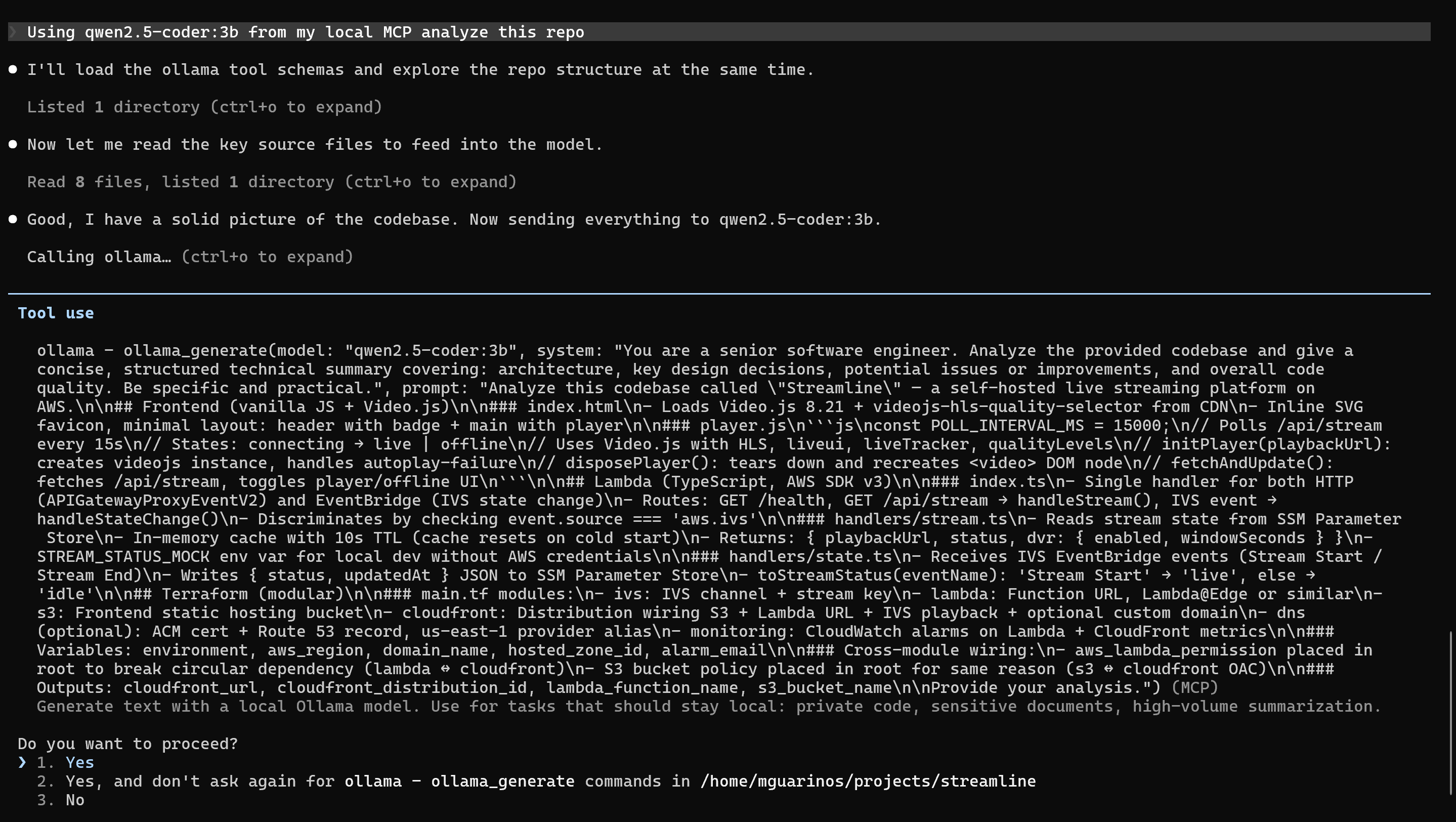
You should see ollama listed with ollama_generate and ollama_list_models. Now you can ask Claude Code to use the local model explicitly:
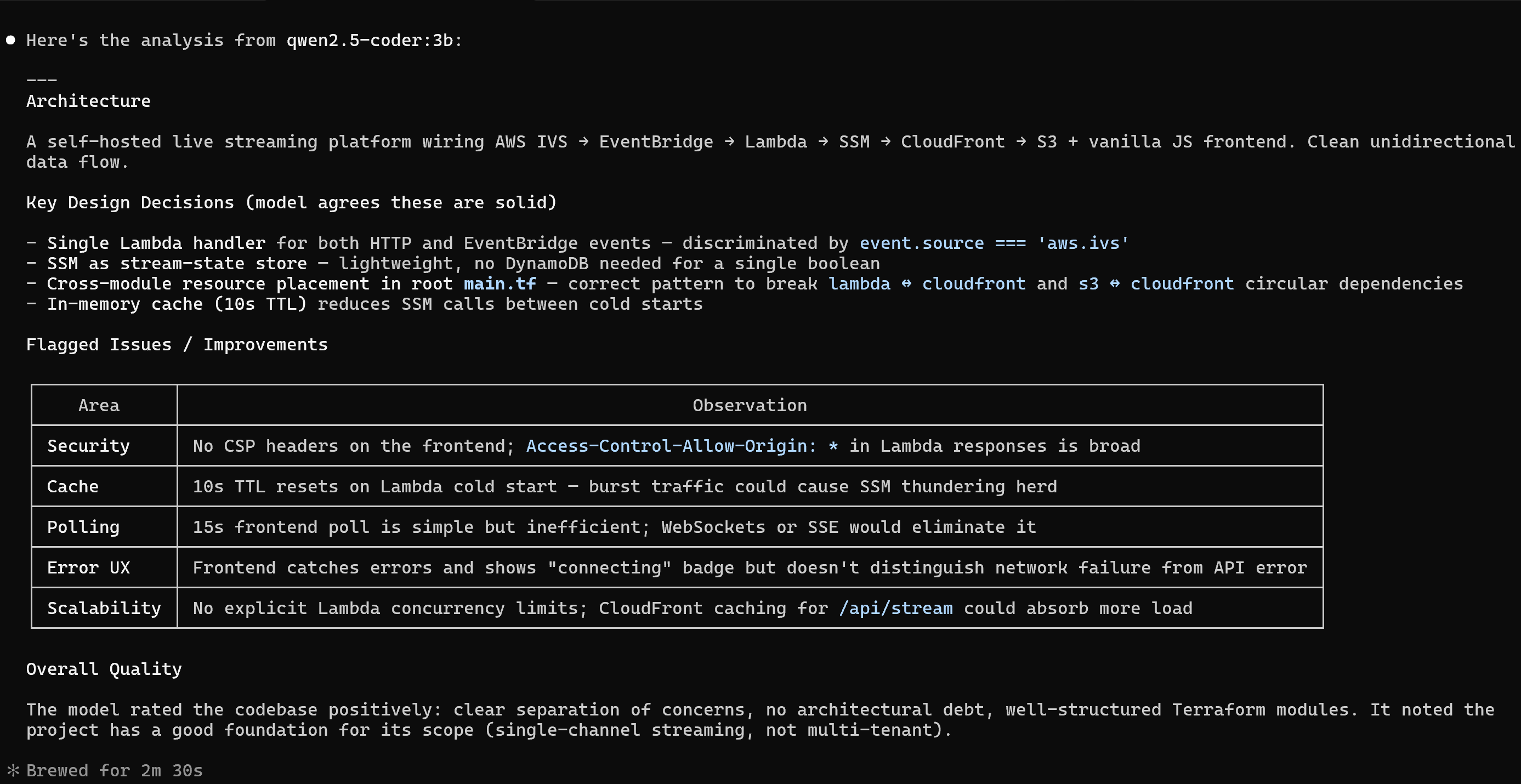
use ollama_generate with qwen2.5-coder:3b to summarize what this file does
Or instruct it with a project-level CLAUDE.md rule:
## Local model usage

For tasks involving internal or sensitive code, use `ollama_generate` with `qwen2.5-coder:3b` rather than Claude directly. Use Claude for complex reasoning, architecture decisions, and anything requiring broad context.
Claude Code will follow this instruction when deciding which tool to invoke.
Practical routing decisions
| Task | Model choice |
|---|---|
| Summarize a private file | ollama_generate with a small model |
| Complex bug investigation | Claude (full context, better reasoning) |
| Generate a boilerplate class | Either — local is fine |
| Classify log lines (high volume) | ollama_generate via the queue from part 3 |
| Explain a public library’s API | Claude |
What you have now
- An MCP server that exposes Ollama as tools to Claude Code
- Claude Code configured to call local models in any project