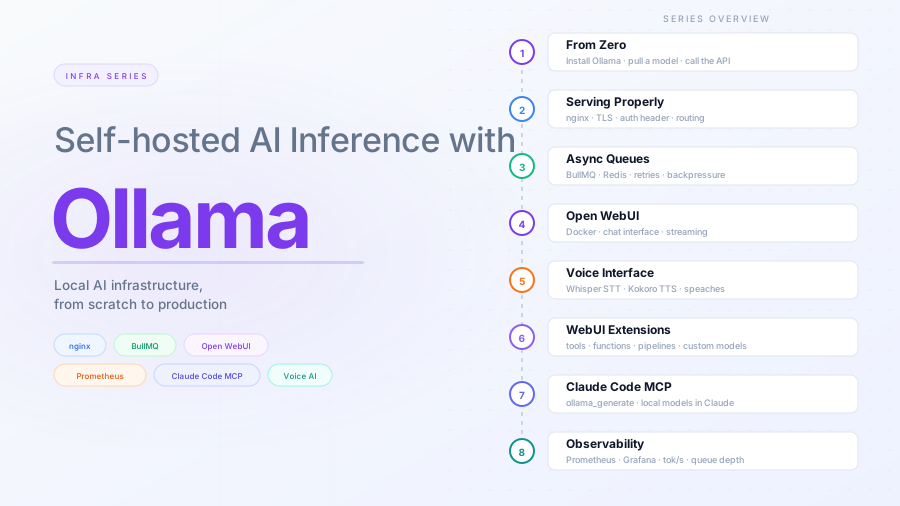
Async inference with queues: BullMQ and Redis in front of Ollama
Contents
This is part 3 of the Ollama infra series. Part 2 put nginx and TLS in front of Ollama. Here we add a queue layer so callers do not have to hold an open HTTP connection while a model generates a response.
The problem with synchronous inference
A single LLM generation can take anywhere from 1 second to several minutes depending on the model, hardware, and prompt length. Holding an HTTP connection open for that duration causes problems:
- Load balancers and proxies have idle timeouts, usually 60–120 seconds
- Client retry logic fires, submitting the same job twice
- One slow request blocks the next if you are running a single-threaded server
- You have no backpressure — a traffic spike queues up 50 simultaneous generations and the machine falls over
A queue solves all of this. Clients submit a job and get back a job ID immediately. A worker pulls the job, calls Ollama, and stores the result. Clients poll or receive a webhook when the result is ready.
Architecture
Client
  │
  │  POST /jobs          (enqueue, returns job_id)
  ▼
Job API (Express)
  │
  └─▶ BullMQ Queue ──▶ Redis
                           │
                      BullMQ Worker
                           │
                           ▼
                        Ollama API
                           │
                      Result stored
                      back in Redis
                           │
  Client polls GET /jobs/:id ◀──────
The Job API and Worker are two separate Node processes — or two separate services. They share nothing except the Redis instance.
Redis setup
Install Redis if you do not have it:
apt install redis-server
systemctl enable --now redis-server
BullMQ uses Redis as its backing store. The queue metadata, job payloads, and results all live there. For this series, a single Redis instance on the same machine is enough. In production you would use a managed Redis service or a replica set.
Project structure
ollama-queue/
├── src/
│   ├── queue.js      # Queue and connection definition
│   ├── api.js        # Express job submission and polling API
│   └── worker.js     # BullMQ worker that calls Ollama
├── package.json
└── .env
mkdir ollama-queue && cd ollama-queue
npm init -y
npm install bullmq ioredis express dotenv
.env:
REDIS_HOST=127.0.0.1
REDIS_PORT=6379
OLLAMA_URL=http://127.0.0.1:11434
OLLAMA_DEFAULT_MODEL=llama3.2:3b
API_PORT=3000
Queue definition
src/queue.js:
const { Queue, QueueEvents } = require("bullmq");
const IORedis = require("ioredis");

const connection = new IORedis({
  host: process.env.REDIS_HOST,
  port: Number(process.env.REDIS_PORT),
  maxRetriesPerRequest: null, // required by BullMQ
});

const inferenceQueue = new Queue("inference", { connection });
const inferenceEvents = new QueueEvents("inference", { connection });

module.exports = { connection, inferenceQueue, inferenceEvents };
One queue, one connection object, exported so both the API and worker import them.
Job submission API
src/api.js:
require("dotenv/config");
const express = require("express");
const { inferenceQueue } = require("./queue");

const app = express();
app.use(express.json());

// Enqueue a job, return the job ID immediately
app.post("/jobs", async (req, res) => {
  const { model, prompt, system } = req.body;

  if (!prompt) {
    return res.status(400).json({ error: "prompt is required" });
  }

  const job = await inferenceQueue.add(
    "generate",
    {
      model: model || process.env.OLLAMA_DEFAULT_MODEL,
      prompt,
      system: system || null,
    },
    {
      removeOnComplete: { age: 3600 }, // keep results for 1 hour
      removeOnFail: { age: 86400 },
      attempts: 2,
      backoff: { type: "fixed", delay: 5000 },
    }
  );

  res.status(202).json({ job_id: job.id });
});

// Poll for result
app.get("/jobs/:id", async (req, res) => {
  const job = await inferenceQueue.getJob(req.params.id);

  if (!job) {
    return res.status(404).json({ error: "job not found" });
  }

  const state = await job.getState();
  const base = { job_id: job.id, state };

  if (state === "completed") {
    return res.json({ ...base, result: job.returnvalue });
  }

  if (state === "failed") {
    return res.status(500).json({ ...base, error: job.failedReason });
  }

  res.json(base);
});

app.listen(process.env.API_PORT, () => {
  console.log(`Job API listening on :${process.env.API_PORT}`);
});
The client gets a 202 Accepted with a job ID. It polls GET /jobs/:id until state is completed or failed.
Worker
src/worker.js:
require("dotenv/config");
const { Worker } = require("bullmq");
const { connection } = require("./queue");

const worker = new Worker(
  "inference",
  async (job) => {
    const { model, prompt, system } = job.data;

    const body = {
      model,
      prompt,
      stream: false,
      ...(system ? { system } : {}),
    };

    const response = await fetch(`${process.env.OLLAMA_URL}/api/generate`, {
      method: "POST",
      headers: { "Content-Type": "application/json" },
      body: JSON.stringify(body),
      signal: AbortSignal.timeout(180_000), // 3 minute hard timeout
    });

    if (!response.ok) {
      throw new Error(`Ollama returned ${response.status}`);
    }

    const data = await response.json();

    return {
      response: data.response,
      model: data.model,
      eval_count: data.eval_count,
      total_duration_ms: Math.round(data.total_duration / 1_000_000),
    };
  },
  {
    connection,
    concurrency: 2, // how many jobs this worker runs simultaneously
  }
);

worker.on("completed", (job) => {
  const { total_duration_ms, eval_count } = job.returnvalue;
  console.log(`job ${job.id} done — ${eval_count} tokens in ${total_duration_ms}ms`);
});

worker.on("failed", (job, err) => {
  console.error(`job ${job?.id} failed:`, err.message);
});

console.log("Worker started");
concurrency: 2 means this worker will pull and process two jobs at a time. If Ollama is configured with OLLAMA_NUM_PARALLEL=2, these should match — more concurrent workers than Ollama can handle in parallel just means jobs sit waiting at the Ollama layer instead of the queue layer.
Running both processes
In two terminals:
node src/api.js
node src/worker.js
With PM2:
npm install -g pm2
pm2 start src/api.js --name ollama-api
pm2 start src/worker.js --name ollama-worker
pm2 save
pm2 startup
Calling the queue API
Submit a job:
curl -X POST http://localhost:3000/jobs \
  -H "Content-Type: application/json" \
  -d '{"prompt": "Explain what a job queue does in three sentences."}'
# {"job_id":"1"}
Poll for the result:
curl http://localhost:3000/jobs/1
# {"job_id":"1","state":"active"}

curl http://localhost:3000/jobs/1
# {
#   "job_id": "1",
#   "state": "completed",
#   "result": {
#     "response": "A job queue ...",
#     "model": "llama3.2:3b",
#     "eval_count": 116,
#     "total_duration_ms": 16164
#   }
# }
Backpressure and limits
BullMQ does not limit how many jobs you can enqueue — Redis is the limit. To prevent runaway queuing, add a rate limit or a max queue depth check before enqueuing:
const waiting = await inferenceQueue.getWaitingCount();
if (waiting > 50) {
  return res.status(429).json({ error: "queue full, try later" });
}
This is a simple approach. BullMQ also supports rate limiters and delayed jobs natively — see the BullMQ docs if you need finer control.
Exposing the queue API through nginx
The Job API runs on 127.0.0.1:3000 and is only reachable locally. Add a location block to the nginx server from part 2 to expose it externally under /queue/, protected by the same secret header:
server {
    listen 443 ssl;
    server_name inference.yourdomain.com;

    # ... TLS config from part 2 ...

    # Queue API — requires secret header
    location /queue/ {
        if ($http_x_ollama_key != "your-secret-here") {
            return 403;
        }
        rewrite ^/queue/(.*) /$1 break;
        proxy_pass         http://127.0.0.1:3000;
        proxy_http_version 1.1;
        proxy_set_header   Host $host;
        proxy_set_header   X-Real-IP $remote_addr;
        proxy_read_timeout 300s;
    }
}
Reload nginx:
nginx -t && systemctl reload nginx
Submit a job and poll for the result through nginx:
curl -X POST https://inference.yourdomain.com/queue/jobs \
  -H "X-Ollama-Key: your-secret-here" \
  -H "Content-Type: application/json" \
  -d '{"prompt": "Explain what a job queue does in three sentences."}'
# {"job_id":"1"}

curl https://inference.yourdomain.com/queue/jobs/1 \
  -H "X-Ollama-Key: your-secret-here"
# {"job_id":"1","state":"completed","result":{...}}
What you have now
- A BullMQ queue backed by Redis decoupling clients from Ollama
- A job submission API returning
202 Acceptedimmediately - A polling endpoint for job status and results
- A worker with configurable concurrency and retry logic
- PM2 keeping both processes alive
- The queue API exposed through nginx at
/queue/behind the secret header